
Introduction to Ethernet If you’ve ever plugged a cable into...
Read MoreEnterprise Switching
Enterprise switching is the foundation of high-performance LANs in modern organizations, delivering fast, secure, and segmented Layer 2 connectivity for thousands of devices across campuses, branches, and data centers. This pillar guides you from core switching concepts like VLANs and STP to advanced topics such as EtherChannel, multilayer switching, and campus design best practices. Start here to master reliable, scalable Layer 2 infrastructure that supports voice, video, wireless, and IoT in enterprise environments.
High-speed LAN access for end devices
Broadcast & collision domain segmentation
Loop prevention & redundancy
Secure & efficient traffic handling
Introduction
Enterprise Switching for Beginners
Build Core Switching Knowledge
New to switching or need a solid refresh? These essentials explain how switches forward frames, segment networks, and prevent basic issues.
- MAC Address Learning & Switching Table
- Frame Forwarding: Unicast, Broadcast, Multicast
- VLAN Basics – Purpose & Configuration
- Access & Voice VLANs
- Trunking (802.1Q) & Native VLAN
- Inter-VLAN Routing Overview
- Basic Switch Verification Commands
Intermediate Path
Design Reliable & Efficient LANs
Scale up with redundancy, link aggregation, and loop protection — the building blocks of production campus networks.
- Spanning Tree Protocol (STP/RSTP/MSTP) – Root Bridge Election & Port Roles
- Rapid PVST+ Configuration & Tuning
- EtherChannel (LACP/PAgP) & Load Balancing
- STP Protection Features (BPDU Guard, Root Guard, Loop Guard)
- Port Security & Sticky MAC
- Private VLANs (PVLANs)
- VTP (VLAN Trunking Protocol) Modes & Best Practices
Advanced Path
Enterprise Campus Mastery
Architect large-scale, high-availability switching with multilayer features, stacking, and modern campus designs.
- Multilayer Switching & SVIs (Switched Virtual Interfaces)
- Switch Stacking (StackWise, FlexStack) & Chassis-Based Switches
- HSRP / VRRP in Switching Environments
- First-Hop Redundancy & Gateway Load Balancing
- SD-Access Fundamentals (Fabric, Control Plane, Policy)
- QoS on Switches (Classification, Marking, Queuing)
- Advanced Security (DHCP Snooping, Dynamic ARP Inspection, IP Source Guard)
Common Problems & Fast Fixes
Spanning Tree Loops / Broadcast Storms
Network slow/crashes → Fix: Enable BPDU Guard/Loop Guard, check for unauthorized switches/ports.
EtherChannel Not Forming
Ports suspended → Fix: Match mode (LACP active/passive), speed/duplex, same VLANs on all members.
Port Security Violations
Port shutdown → Fix: Check violation mode (protect/restrict/shutdown), clear sticky MACs if needed.
High CPU / Slow Switching
Broadcast/multicast floods → Fix: Enable storm control, prune unnecessary VLANs, check for loops.
DHCP Issues on VLANs
Clients no IP → Fix: Verify DHCP relay (ip helper-address), VLAN interface up/up, trunk allows DHCP VLAN.
Duplex Mismatch
CRC errors, collisions → Fix: Hard-set speed/duplex or ensure autonegotiation works on both ends.
Tools & Platforms Enterprises Use
Introduction to Spanning Tree Protocol (STP)
Switches are simple devices at heart — they forward frames...
Read More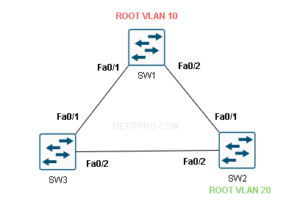
Frequently Asked Questions
What is the main difference between a hub, switch, and router?
Hub: Layer 1, broadcasts everything. Switch: Layer 2, forwards based on MAC. Router: Layer 3, forwards based on IP.
Why do we use VLANs in enterprise networks?
To segment broadcast domains, improve security, reduce unnecessary traffic, and organize departments logically.
What happens if Spanning Tree is disabled?
Redundant links cause loops → broadcast storms, MAC table instability, network outage.
What is EtherChannel used for?
Bundle multiple links for higher bandwidth and redundancy with load balancing.
How does STP choose the root bridge?
Lowest Bridge ID (priority + MAC); lower priority wins, then lowest MAC if tie.
What is BPDU Guard and when to use it?
Shuts down port if it receives BPDU (protects against rogue switches); enable on access ports.
Why might a switch port go into err-disable?
Violations like port security, BPDU Guard, link-flap, etc.; recover with shutdown/no shutdown or errdisable recovery.