
Introduction
Did you know that nearly 70% of IT projects overrun their timelines or budgets due to fragmented workflows and poor collaboration? As an IT professional, you’ve likely felt the sting of juggling tickets, deadlines, and team updates across disjointed systems. In this comprehensive review of the best SaaS tools for project management tailored to IT teams, we’ll explore how the right software can transform chaos into efficiency. Whether you’re managing software deployments, handling cybersecurity incidents, or scaling infrastructure, these IT productivity apps are designed to enhance visibility, automate routine tasks, and foster seamless B2B software comparisons.
Why does this matter for IT pros? In a field where downtime costs thousands per minute and compliance is non-negotiable, top help desk software integrated with project tools can mean the difference between reactive firefighting and proactive strategy. Drawing from the latest trends in agile methodologies and AI-driven automation, this guide focuses on timeless principles like scalability, integration, and security—ensuring your picks remain relevant. By the end, you’ll discover features, pricing breakdowns, and my top recommendations to boost your team’s output. Let’s dive in—what’s holding your projects back today?
Table of Contents
- Introduction
- 1. Jira: The Agile Powerhouse for Dev Teams
- 2. Asana: Versatile Workflow Management for IT Operations
- 3. Trello: Simple Kanban for Quick IT Task Tracking
- 4. Monday.com: Visual Dashboards for Complex IT Projects
- 5. ClickUp: All-in-One Hub for IT Productivity
- 6. Wrike: Enterprise-Grade Collaboration for Large IT Teams
- 7. Microsoft Project: Traditional Planning with Modern Twists
- 8. Azure DevOps: End-to-End for Software Engineering
- 9. Smartsheet: Spreadsheet-Style Management for IT Portfolios
- 10. Basecamp: Straightforward Communication for Small IT Groups
- Conclusion
- FAQ
1. Jira: The Agile Powerhouse for Dev Teams
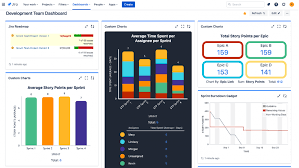
Jira, developed by Atlassian, is a staple in the world of IT project management, particularly for software development and agile teams. It’s renowned for its robust issue tracking and customizable workflows, making it ideal for handling bugs, sprints, and releases. In my experience, Jira shines when IT pros need to align technical tasks with business goals, offering deep integrations that turn it into a central hub for devops pipelines.
Key Features:
- Agile planning with backlogs, sprints, and Kanban boards.
- AI-powered automation for task assignment and risk flagging.
- Customizable dashboards and reports for real-time insights.
- Integrations with tools like GitHub, Slack, and Confluence.
- Advanced security with user permissions and data residency options.
Pricing:
- Free: $0 for up to 10 users, basic features.
- Standard: Approximately $8.15/user/month (billed annually), adds AI and external collaboration.
- Premium: Approximately $16/user/month (billed annually), includes cross-team planning.
- Enterprise: Custom pricing, with advanced analytics and unlimited sites.
User Ratings: 4.4/5 on G2 (based on thousands of reviews), praised for scalability but noted for a steeper learning curve.
How It Fits IT Pros: For IT managers overseeing development cycles, Jira excels in tracking requests and automating workflows, reducing manual overhead. Compared to Azure DevOps, it offers more flexible agile tools for non-Microsoft ecosystems, making it a top choice for best SaaS for IT managers seeking B2B software comparisons.
| Pros | Cons |
|---|---|
| Highly customizable for IT workflows | Can be overwhelming for beginners |
| Strong integration ecosystem | Higher tiers get pricey for large teams |
| Excellent for agile and scrum practices | Limited storage in free plan |
Try Jira free here [affiliate link]. As an affiliate, we may earn from qualifying purchases.
2. Asana: Versatile Workflow Management for IT Operations
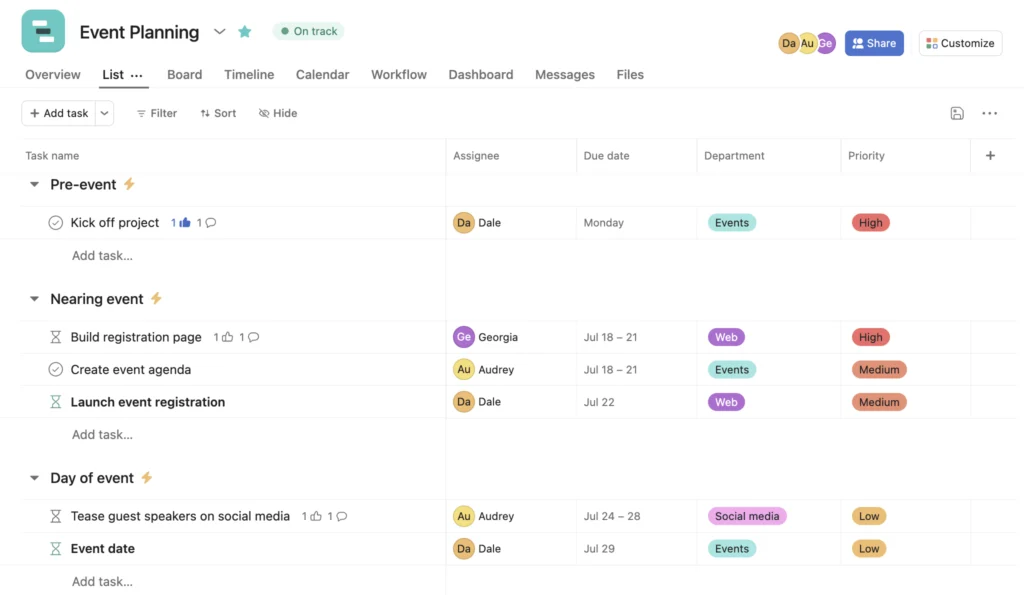
Asana stands out as a user-friendly platform that bridges task management with project oversight, perfect for IT operations teams handling everything from ticket resolution to infrastructure upgrades. It’s one of the best SaaS tools for fostering collaboration without the bloat, with AI features that automate approvals and insights.
Key Features:
- Resource planning and workload views.
- Custom forms for project intake.
- Over 300 integrations, including cybersecurity software like Okta.
- AI for workflow automation and goal alignment.
- Secure compliance options for enterprise users.
Pricing:
- Personal: $0, unlimited tasks for small teams.
- Starter: $10.99/user/month (annually), adds timelines and dashboards.
- Advanced: $24.99/user/month (annually), includes portfolios and proofing.
- Enterprise: Custom, with SAML and advanced security.
User Ratings: 4.4/5 on G2, lauded for ease of use and reporting.
How It Fits IT Pros: Asana’s strength lies in visualizing IT workloads, making it great for managers comparing B2B software. It’s more intuitive than Wrike for mid-sized teams, with features that support affordable cybersecurity tools integration for small teams.
| Pros | Cons |
|---|---|
| Intuitive interface for quick adoption | Limited advanced reporting in lower tiers |
| Strong automation capabilities | File storage caps in free plan |
| Great for cross-functional IT teams | Custom branding only in Enterprise |
3. Trello: Simple Kanban for Quick IT Task Tracking
Trello, also from Atlassian, brings visual simplicity to IT task management with its card-based system. It’s ideal for smaller IT teams or ad-hoc projects, like quick bug fixes or help desk queues.
Key Features:
- Kanban boards with drag-and-drop.
- AI-powered email-to-task conversion.
- Power-Ups for integrations like Google Drive.
- Automation with Butler for no-code rules.
- Card mirroring across boards.
Pricing:
- Free: $0, up to 10 boards.
- Standard: $5/user/month (annually), unlimited boards.
- Premium: $10/user/month (annually), adds views like Timeline.
- Enterprise: $17.50/user/month (annually), unlimited workspaces.
User Ratings: 4.4/5 on G2, appreciated for simplicity.
How It Fits IT Pros: For IT pros needing fast setup, Trello acts as top help desk software for lightweight tracking. Vs. Monday.com, it’s more affordable for small teams focused on IT productivity apps.
| Pros | Cons |
|---|---|
| Extremely easy to use | Lacks advanced reporting |
| Affordable for startups | Storage limits per file |
| Fun, visual workflow | Not ideal for complex projects |
4. Monday.com: Visual Dashboards for Complex IT Projects
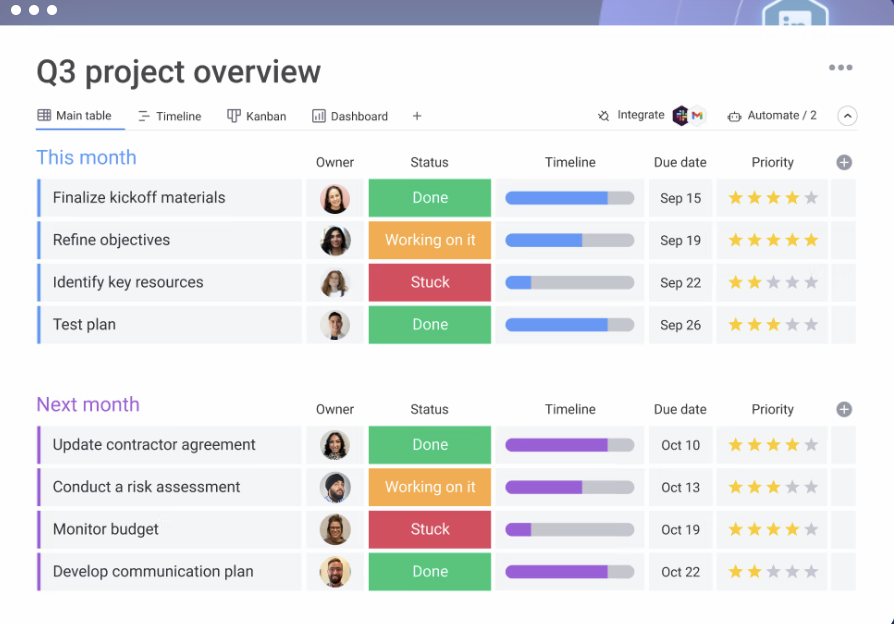
Monday.com offers highly customizable boards that adapt to IT needs, from ticket management to portfolio oversight. It’s a frontrunner in visual B2B software comparisons, with AI for faster resolutions.
Key Features:
- IT service desk with SLA tracking.
- AI response suggestions.
- Over 20 column types and Gantt views.
- Automations and integrations (up to 250K actions in Enterprise).
- Portfolio management.
Pricing:
- Free: $0, up to 3 boards.
- Standard: $12/seat/month (annually).
- Pro: $19/seat/month (annually).
- Enterprise: Custom.
User Ratings: 4.7/5 on G2, high for flexibility.
How It Fits IT Pros: Perfect for IT managers in 2026 seeking best SaaS with visual tools; compares favorably to Smartsheet for dynamic projects.
| Pros | Cons |
|---|---|
| Highly visual and customizable | Minimum seats in paid plans |
| Robust automations | Learning curve for advanced features |
| Great for team collaboration | Higher cost for large teams |
Try Monday.com free here [affiliate link]. As an affiliate, we may earn from qualifying purchases.
5. ClickUp: All-in-One Hub for IT Productivity
ClickUp consolidates tools into one platform, replacing multiple apps for IT teams managing vendors, assets, and contracts. Its AI agents make it a standout in IT productivity apps.
Key Features:
- Custom AI agents for inventory and contracts.
- Time tracking and Kanban boards.
- Enterprise security (SOC 2, GDPR).
- Over 50 integrations.
- Whiteboards and roadmaps.
Pricing:
- Free: Basic features.
- Unlimited: $7/user/month (annually).
- Business: $12/user/month (annually).
- Enterprise: Custom.
User Ratings: 4.7/5 on G2, for versatility.
How It Fits IT Pros: Ideal for streamlining IT ops; better than Basecamp for feature depth in affordable setups.
| Pros | Cons |
|---|---|
| Replaces multiple tools | Can feel feature-heavy |
| Strong AI capabilities | Custom pricing for Enterprise |
| Excellent security | Steeper setup time |
Try ClickUp free here [affiliate link]. As an affiliate, we may earn from qualifying purchases.
6. Wrike: Enterprise-Grade Collaboration for Large IT Teams
Wrike focuses on cross-functional work, with AI for risk prediction—key for large IT environments.
Key Features:
- Resource planning and automations.
- Custom workflows.
- Integrations with 400+ apps.
- Advanced reporting.
- Security compliance.
Pricing:
- Free: Basic.
- Team: $10/user/month.
- Business: $25/user/month.
- Enterprise: Custom.
User Ratings: 4.2/5 on G2.
How It Fits IT Pros: Suits enterprise IT; vs. Microsoft Project, more collaborative.
| Pros | Cons |
|---|---|
| Scalable for big teams | Higher pricing |
| AI-driven insights | Add-ons extra cost |
| Robust integrations | Complex for small teams |
7. Microsoft Project: Traditional Planning with Modern Twists
Microsoft Project offers Gantt-focused planning integrated with Microsoft 365.
Key Features:
- Task views and templates.
- Integrations with Teams and Outlook.
- Portfolio management in higher tiers.
- Security features.
Pricing:
- Planner: Free in Microsoft 365.
- Project Plan 1: $10/user/month.
- Project Plan 3: $30/user/month.
- Project Plan 5: $55/user/month.
User Ratings: 4.3/5 on G2.
How It Fits IT Pros: Great for Microsoft-centric IT; affordable for small teams.
| Pros | Cons |
|---|---|
| Seamless Microsoft integration | Less agile than Jira |
| Strong for timelines | Limited free features |
| Enterprise options | UI feels dated |
8. Azure DevOps: End-to-End for Software Engineering
Azure DevOps provides CI/CD and agile tools for dev teams.
Key Features:
- Pipelines and repos.
- Test plans.
- GitHub integrations.
- Security scanning.
Pricing:
- Basic: First 5 free, then $6/user/month.
- Pipelines: $40/extra job.
- Artifacts: Tiered storage.
User Ratings: 4.4/5 on G2.
How It Fits IT Pros: Top for devops; includes affordable cybersecurity tools like secret scanning.
| Pros | Cons |
|---|---|
| Integrated CI/CD | Microsoft-focused |
| Free for small teams | Additional costs for extras |
| Strong security | Complex pricing |
Try Azure DevOps free here [affiliate link]. As an affiliate, we may earn from qualifying purchases.
9. Smartsheet: Spreadsheet-Style Management for IT Portfolios
Smartsheet blends spreadsheets with PM, ideal for portfolios.
Key Features:
- Gantt and workload views.
- Automations.
- AI insights.
- Integrations.
Pricing:
- Pro: $9/user/month (annually).
- Business: $19/user/month (annually).
- Enterprise: Custom.
User Ratings: 4.4/5 on G2.
How It Fits IT Pros: For data-driven IT; compares to Excel but with PM power.
| Pros | Cons |
|---|---|
| Familiar interface | Automations limited in Pro |
| Scalable storage | Custom for advanced |
| Good for reporting | Not as visual as Monday |
10. Basecamp: Straightforward Communication for Small IT Groups
Basecamp emphasizes simplicity for team comms.
Key Features:
- Message boards and to-dos.
- File sharing.
- Reports.
- Security backups.
Pricing:
- Free: One project.
- Pro Unlimited: $349/month or annual lump sum.
User Ratings: 4.4/5 on G2.
How It Fits IT Pros: For small teams; less feature-rich than ClickUp but easy.
| Pros | Cons |
|---|---|
| Flat pricing | Limited to basics |
| No per-user fees | No advanced PM views |
| Quick setup | Storage caps in free |
Try Basecamp free here [affiliate link]. As an affiliate, we may earn from qualifying purchases.
Conclusion
In wrapping up this deep dive into the top project management tools for IT professionals, a few standouts emerge based on scenarios. For agile dev teams, Jira remains unbeatable; budget-conscious small teams should grab Trello or Asana as affordable options. Best overall pick: ClickUp for its all-in-one versatility. If you’re in a Microsoft shop, Azure DevOps is the best budget option with built-in cybersecurity features. In my experience, the key is starting with a trial to match your workflow—tools like these evolve with trends, but timeless integration and automation win out.
What do you think—which tool has transformed your IT projects? Leave a comment below, share this post on social media, or check out our related post on [cybersecurity software reviews]. Your insights could help fellow pros!
FAQ
What is the best free SaaS project management tool for IT teams?
Trello or Asana’s Personal plan offer solid free tiers for basic task tracking and boards, ideal for small IT groups.
How do I choose between Jira and Azure DevOps?
Jira is better for flexible agile setups, while Azure DevOps excels in CI/CD for Microsoft environments—compare based on your stack.
What are affordable cybersecurity tools for small teams in project management?
Tools like Azure DevOps include secret scanning at low cost; integrate with dedicated apps via platforms like Monday.com.
Is there a best SaaS for IT managers in 2026?
ClickUp and Monday.com top the list for scalability and AI, but evaluate based on team size.
Can these tools handle help desk functions?
Yes, Jira and Monday.com have strong ticket management, making them top help desk software options.
What’s the easiest tool for beginners?
Trello, with its simple Kanban style.
Do these support remote IT teams?
All featured tools are cloud-based with mobile apps, perfect for distributed work.
How important are integrations?
Crucial—look for 100+ options like in Asana for seamless B2B software comparisons.
What’s the best for large enterprises?
Wrike or Smartsheet for advanced reporting and security.
Are there AI features in these tools?
Most now include AI, like ClickUp’s agents for automation—enhancing IT productivity.